JSON Schema Generator
Generate a JSON Schema draft from representative JSON data. This JSON Schema generator infers object structure, arrays, basic data types, and selected string formats, then lets you review, copy, or download the generated schema for validation, API documentation, and development workflows.
Key Features
Generate Schema from JSON
Analyze a representative JSON object or array and generate a starting JSON Schema that describes its observed structure and basic data types.
Nested Objects and Arrays
Recursively infer nested object properties and array item schemas. Review arrays with mixed or incomplete item structures before using the result as a validation contract.
Required Field Control
Choose whether fields observed in the sample should be added to the required array. A single example cannot reliably prove that every observed field is required in all future data.
Additional Properties
Choose whether generated object schemas allow properties that were not present in the sample. Use strict settings carefully because real payloads may contain fields not included in the example.
Common Format Detection
Optionally detect common string patterns such as email, date, date-time, URI, and UUID when the value matches the implemented detection rules. Detected formats are guesses based on the sample and can be turned off.
Draft Version Selection
Choose the JSON Schema draft supported by your validator or documentation tool. Draft-07 has broad compatibility, while newer drafts provide newer vocabulary and behavior.
Copy and Download
Copy the generated schema or download it as a .json file for use with validators, API documentation, tests, form tools, or code-generation workflows.
Browser-Based Generation
JSON parsing and schema generation happen in your browser. The page does not require an account or upload the sample data to a remote service.
How to Use
Enter representative JSON
Paste an example object, an array of records, or a local JSON file if file input is available. Include examples of optional fields and different array item shapes when those variations matter.
Choose the schema draft
Select Draft-07 or Draft 2020-12 according to the validator, API tool, or documentation system that will consume the schema.
Configure inference options
Choose whether observed fields should be required, whether additional properties are allowed, whether common string formats are detected, and whether examples are included.
Generate and review
Click Generate Schema, then review types, required fields, array items, formats, additionalProperties, and any warning that the result is inferred from sample data.
Copy, download, and validate
Copy or download the schema, then test it against representative valid and invalid documents. Add constraints such as enum, pattern, minimum, maximum, or minLength manually when needed.
{
  "name": "Alice",
  "age": 30,
  "email": "alice@example.com",
  "tags": ["admin", "user"]
}{
"$schema": "http://json-schema.org/draft-07/schema#",
"type": "object",
"properties": {
"name": {
"type": "string"
},
"age": {
"type": "integer"
},
"email": {
"type": "string",
"format": "email"
},
"tags": {
"type": "array",
"items": {
"type": "string"
}
}
},
"required": [
"name",
"age",
"email",
"tags"
],
"additionalProperties": true
}How to Generate JSON Schema from JSON Data
What Is JSON Schema?
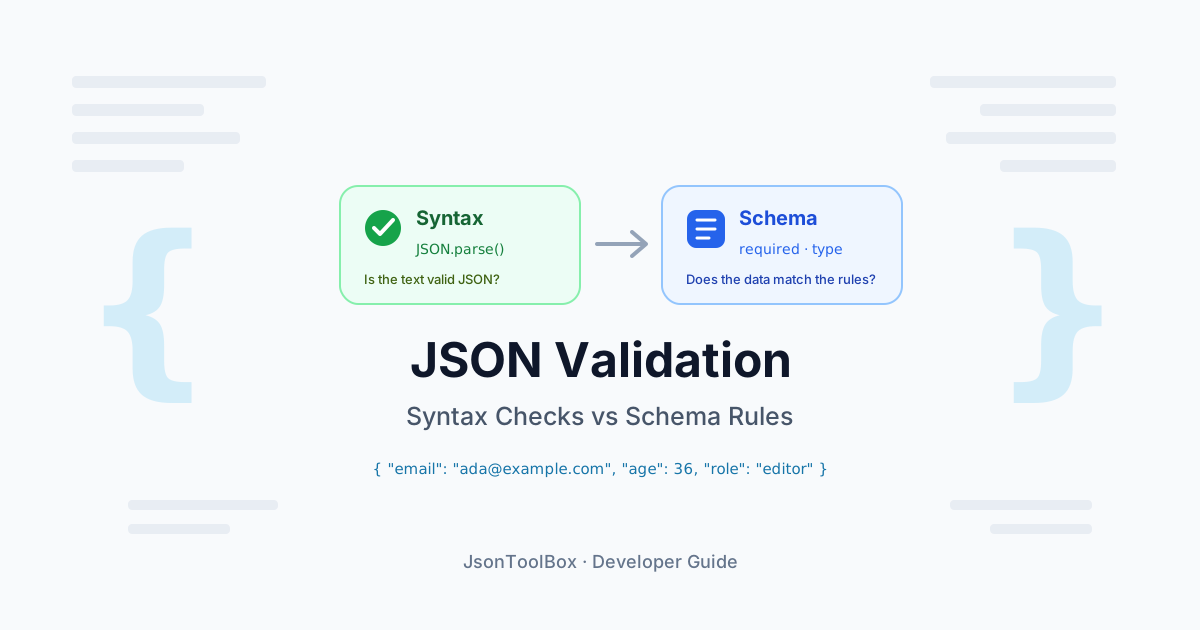
JSON Schema is a vocabulary for describing the structure and validation rules of JSON documents. It can define object properties, arrays, data types, required fields, formats, value constraints, and whether additional properties are allowed.
A JSON Schema generator analyzes one or more JSON examples and creates a starting schema. The generated result is useful for reducing manual work, but it still needs review because sample data cannot reveal every optional field, alternative type, boundary value, or business rule.
Why Generate JSON Schema from JSON?
- API documentation: Create a first version of a request or response schema from a representative payload.
- Validation: Define a starting point for checking JSON structure and basic types.
- Testing: Use the generated schema to build valid and invalid test cases.
- Form generation: Provide structure and basic types to tools that generate forms from schemas.
- Code generation: Supply schema information to tools that create types or models, after reviewing the result.
- Data contracts: Document the observed shape of configuration files, events, or integration payloads.
How to Generate a JSON Schema
- Provide representative JSON: Paste an object, array, or sample payload that reflects real data variations.
- Select the draft: Choose Draft-07 or Draft 2020-12 based on the target validator or documentation tool.
- Configure required fields: Decide whether observed properties should be listed in required.
- Configure object strictness: Decide whether additionalProperties should allow fields not present in the sample.
- Enable format detection: Add selected format hints only when heuristic detection is useful for your workflow.
- Generate the schema: Review the generated types, arrays, properties, and nested definitions.
- Copy or download: Export the schema, then validate it with representative documents.
How the Generator Infers Types
- Objects: Become schemas with type object and a properties map.
- Arrays: Become schemas with type array and an items schema.
- Strings: Become type string, with optional format hints when detection is enabled.
- Numbers: Become number or integer according to the inference rules and observed values.
- Booleans: Become type boolean.
- Null: May become type null or a union with another observed type, depending on the generator.
Type inference is based on observed values. It does not automatically know whether a numeric field is a count, price, identifier, timestamp, or version string.
Required Fields Are an Inference
If a property appears in one sample, that proves only that it appeared in that sample. It does not prove that every valid document must contain it. Use the required option as a starting point, then compare multiple examples or edit the required array based on the real API or data contract.
Why Multiple Samples Are Better
A single JSON object may omit optional fields or show only one branch of a conditional structure. Multiple representative samples can reveal:
- Fields that are sometimes missing.
- Arrays containing more than one item shape.
- Nullable values.
- Alternative object structures.
- Different string formats.
- Unexpected types in real-world payloads.
If the generator accepts only one JSON input, combine representative records into an array or review the resulting schema manually with additional samples.
additionalProperties and Strictness
Setting additionalProperties to false makes an object schema strict: properties not listed in the schema are rejected. This can detect unexpected fields, but it can also reject legitimate fields that were absent from the example. Allowing additional properties is more tolerant and may be safer for evolving APIs.
Format Detection Is Heuristic
Values such as email addresses, URLs, UUIDs, IP addresses, dates, and hostnames can sometimes be recognized by pattern. A format hint is not the same as a complete validation rule, and detection can produce false positives or miss valid values. Review generated formats before relying on them.
Constraints Need Domain Knowledge
A generator can infer that a value is a number, but it usually cannot know the correct business limits. Add rules such as minimum, maximum, minLength, maxLength, pattern, enum, oneOf, or anyOf based on documented requirements rather than guessing from one example.
JSON Schema Drafts and Tool Compatibility
JSON Schema Draft-07 is widely supported by existing validators and tools. Draft 2020-12 is newer and uses updated vocabularies and behavior. The correct choice depends on your validator, API documentation generator, form library, or code-generation workflow. Include the appropriate $schema URI and test the result with the exact toolchain you plan to use.
Generated Schema vs Production Contract
A generated schema is a useful starting point, not automatically a complete production contract. Before publishing it, review required fields, optional fields, nullability, numeric ranges, string formats, enum values, additional properties, array item rules, property names, and security-sensitive fields.
Browser-Based Privacy
This generator is designed to parse the sample JSON and create the schema in the browser rather than sending the input to a remote service. That can be useful for development and documentation. Avoid entering credentials, access tokens, private customer records, or confidential production payloads into any online tool.
Related Articles