JSONC to JSON Converter
Convert JSONC or JSON with comments into standard JSON. Remove line comments, block comments, and trailing commas without touching comment-like text inside strings, then validate, format, copy, or download the result.
Key Features
Remove JSONC Comments
Remove JavaScript-style line comments and block comments while preserving comment-like text inside quoted strings.
Remove Trailing Commas
Drop commas that sit directly before } or ] so the result can be read by strict JSON parsers. A comma with no value before it is reported as an error instead of being silently removed.
Validate Standard JSON
Parse the cleaned output after conversion and confirm that it is valid standard JSON before copying or downloading it. If it is not, the error is reported with a line and column.
Pretty or Minified Output
Choose two-space, four-space, or minified output after comments and trailing commas have been removed.
Conversion Diagnostics
See how many comments and trailing commas were removed, and get a line and column for unclosed block comments, stray commas, and syntax errors.
Copy Clean JSON
Copy the converted strict JSON to your clipboard for APIs, configuration files, scripts, build pipelines, or other JSON-based workflows.
Download .json
Download the cleaned result as a standard .json file for applications and systems that do not accept JSONC comments.
Paste or Open JSONC
Paste JSONC text or open a local .jsonc, .json, or .txt file. The source is read and processed in your browser.
Browser-Based Processing
Comment removal, parsing, validation, and formatting happen in your browser. No account is required and the source is not sent to a remote service.
How to Use
Enter JSONC
Paste JSONC content or open a .jsonc, .json, or .txt file. JSONC may contain line comments, block comments, and trailing commas that standard JSON does not accept.
Choose what to remove
Line comments, block comments, and trailing commas are all removed by default. Turn an option off to leave that syntax in place, which usually stops the result from being valid standard JSON.
Convert and validate
Click Convert to JSON to remove the selected extensions and parse the result as strict JSON. Review the comment and trailing-comma counts, and any error reported with its line and column.
Format the output
Choose two-space, four-space, or minified output. The output no longer contains comments, because standard JSON has no comment syntax.
Copy or download
Copy the cleaned JSON or download it as a .json file, and test the result with the application, API, or parser that will consume it. Keep the original JSONC file, because comments cannot be recovered from standard JSON.
Convert JSONC to Standard JSON
Remove comments and a trailing comma without touching comment-like text inside strings.
{
  // Display name shown in the UI
  "name": "Alice",
  "url": "https://example.com/a//b",
  "roles": [
    "admin",
    "editor",
  ],
  /* Feature flag */
  "enabled": true
}
One line comment, one block comment, one trailing comma, and a URL that contains // inside a string.
{
  "name": "Alice",
  "url": "https://example.com/a//b",
  "roles": [
    "admin",
    "editor"
  ],
  "enabled": true
}
Two-space indentation with the default options. The // inside the URL is string content and is kept.
The converter reports 2 comments removed and 1 trailing comma removed. Comments cannot be restored from the output, so keep the original file.
How to Convert JSONC to Standard JSON
What Is JSONC?
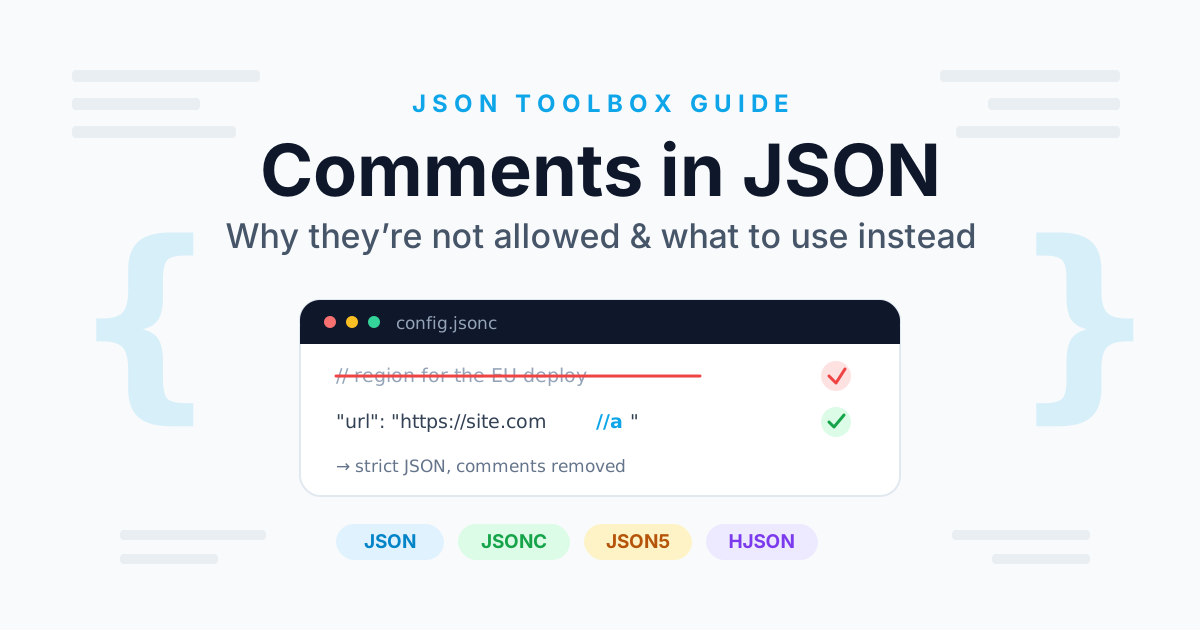
JSONC commonly means JSON with Comments. It extends standard JSON with JavaScript-style comments, and some implementations also allow trailing commas. JSONC is useful for human-edited configuration, because comments can explain settings without a separate document.
Standard JSON is stricter: it does not allow line comments, block comments, or trailing commas. A JSONC-to-JSON converter removes those extensions and produces output that ordinary JSON parsers can read.
JSON vs JSONC vs JSON5
- JSON: strict data format with objects, arrays, strings, numbers, booleans, and null.
- JSONC: a JSON-like configuration format that allows comments, and in many implementations trailing commas.
- JSON5: a broader extension that may also allow unquoted keys, single-quoted strings, hexadecimal numbers, Infinity, and NaN.
Do not label every JSON-like configuration file as JSONC without checking which syntax and parser it actually uses. This page handles JSONC and standard JSON; it does not parse JSON5-only syntax.
How to Convert JSONC to JSON
- Enter JSONC: paste the content or open a .jsonc, .json, or .txt file.
- Choose what to remove: line comments, block comments, and trailing commas are each controlled by a checkbox.
- Convert: the selected syntax is removed and the result is parsed as strict JSON.
- Read the diagnostics: check how many comments and trailing commas were removed, or the line and column of the reported error.
- Format or minify: choose two-space, four-space, or minified output.
- Copy or download: save the standard JSON for a parser, API, deployment step, or production workflow.
Why Regex Comment Removal Breaks URLs
A naive approach such as replacing //.*$ on every line also deletes content inside quoted strings:
{
  "url": "https://example.com/a//b",
  "pattern": "/* not a comment */"
}
Both // and /* */ here are ordinary data. A safe converter scans the document character by character, tracks whether it is inside a quoted string, and copies string content verbatim, including escape sequences. Only comment markers found outside strings are removed.
Trailing Commas
A trailing comma is a comma that appears directly before a closing } or ]:
{
  "host": "localhost",
  "port": 8080,
}
Standard JSON does not allow it, but many hand-edited configuration files contain it. The converter removes it and counts the change. A comma with no value before it, such as in [,1] or {,}, is not a trailing comma; it is reported as an error with its line and column rather than being removed, because guessing the intended structure would be unsafe.
Conversion Is Lossy
Removing comments is a one-way operation. Standard JSON has no comment syntax, so once the output is written, the comment text and its position are gone:
{
  // user name
  "name": "Alice"
}
becomes:
{
  "name": "Alice"
}
Keep the original JSONC file as the editable source of truth, and generate the standard JSON from it whenever a downstream tool needs strict JSON. Duplicating a comment into a data field such as _comment keeps the text in the document, but it becomes ordinary data that every consumer has to ignore.
JSONC in VS Code and Configuration Files
VS Code uses JSONC for settings.json, launch.json, and many extension configuration files, which is why comments there are common. TypeScript, ESLint, and other tools also accept JSONC in some files. Converting such a file is only a format conversion: it does not validate the configuration schema, and the target application still has to accept the result.
Privacy and Browser-Based Processing
This page parses and converts JSONC in the browser rather than uploading the source to a remote service. That suits commented configuration files and development data, but it is not a secret-management system. Avoid entering credentials, tokens, private customer records, or confidential production configuration into any online tool.
When to Use a Local Converter
For build pipelines, repeated conversions, very large files, or confidential configuration, use a local JSONC parser or a build-time step so the strict JSON is generated automatically from the commented source.